
5 Reasons why you should think of solar system installation for your home

off-grid

off-grid

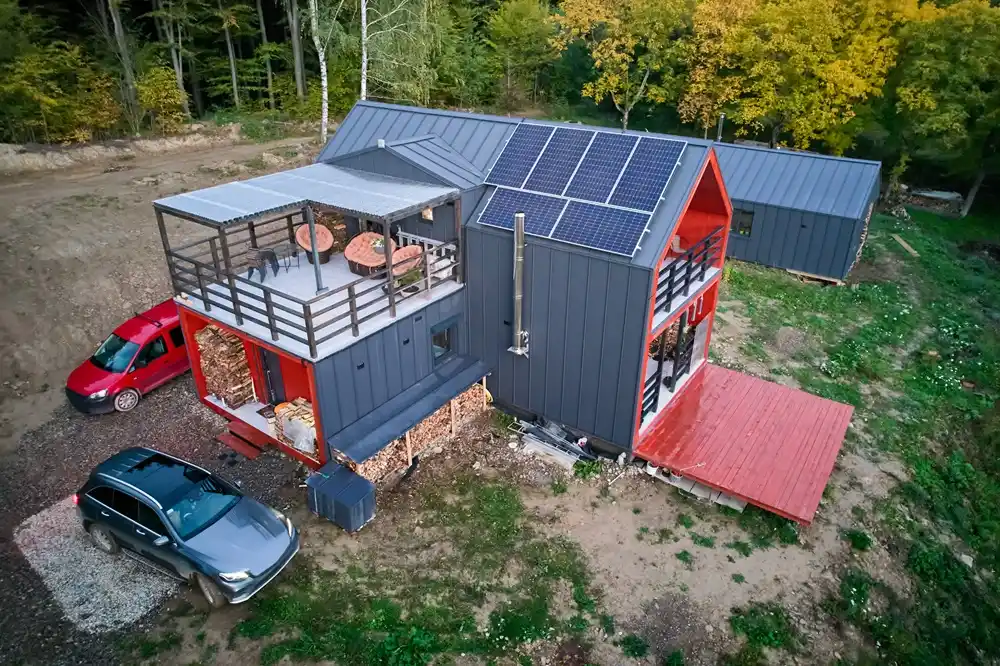
A Residential Solar System is not only a sustainable choice but also a strategic investment in the future of energy independence. Here are five compelling reasons to think about installing solar for your home.

1. Lower Electricity Bills

One of the primary benefits of a Residential Solar System is the significant reduction in electricity costs. By generating your own energy, you can reduce your reliance on traditional power grids and shield yourself from rising electricity prices. With abundant sunshine in Australia, your solar system can produce a substantial portion—or even all—of your household’s energy needs.

For customised energy solutions, homeowners can explore Residential Solar Solutions that are tailored to their specific energy consumption patterns and household requirements. By selecting the right system, you can maximise your savings and achieve long-term energy independence.

2. Environmentally Friendly Energy

Switching to a Residential Solar System is a proactive step towards reducing your carbon footprint. Solar energy is clean, renewable, and produces no greenhouse gas emissions. Installing a home solar power system in Perth allows you to contribute to global efforts in combating climate change while enjoying the benefits of sustainable energy at home.

By investing in solar, you are also setting an example for others in your community to embrace environmentally friendly practices. Every household that transitions to solar energy plays a role in creating a cleaner, greener future.

3. Increase in Property Value

Homes equipped with a Residential Solar System often see an increase in property value. Buyers are increasingly attracted to energy-efficient homes that reduce ongoing utility costs. In a market like Perth, where renewable energy is gaining popularity, installing the best solar panels for home in Perth can make your property more appealing and competitive.

Solar panels are seen as a long-term asset, ensuring that your home remains a valuable investment for years to come.

4. Reliable Energy Supply

Australia’s sunny climate makes it an ideal location for solar energy production. A Residential Solar System ensures a reliable and consistent energy supply, even during power outages. With advancements in solar technology and storage solutions, homeowners can harness solar energy during the day and use stored power at night or in cloudy weather.

Professional Residential Solar Installation Services guarantee that your system is installed correctly and operates at peak performance. By working with experienced providers like Raf Power, you can ensure optimal energy output and peace of mind.

5. Government Incentives and Rebates

The Australian government supports the adoption of renewable energy by offering incentives and rebates for solar installation. These financial benefits make installing a Residential Solar System more affordable for homeowners. Additionally, Perth residents can benefit from the latest advancements in Residential solar panels in Perth, ensuring access to cutting-edge technology at competitive prices.

Ready to take the first step? Contact Raf Power today for expert Residential Solar Installation Services and transform your energy future with a reliable home solar power system in Perth.


About us

Lorem ipsum dolor sit amet, consectetur adipiscing elit. Praesent eget est in felis sollicitudin condimentum. Aliquam vitae auctor urna. In in dolor purus. Etiam sit amet purus nec velit luctus accumsan. 

More Post

Why a Ledger hardware wallet still matters — and how to install Ledger Live from an archived landing page

What does it mean to “own” your crypto when a single laptop compromise can hand an attacker full control? That question reframes the value proposition of hardware wallets like Ledger: these devices are not a convenience feature, they are an intentional partitioning of secret material from internet-connected systems. For many U.S. users, the practical decision is not simply “buy a Ledger” but “how do I safely install and use Ledger Live—especially when the fastest URL is an archived PDF or an older installer?” The correct answer depends on mechanisms, trade-offs, and a realistic view of where those protections break down. The opening here is practical: if you reached an archived page and need the Ledger Live installer, use the verified file only and confirm integrity; one convenient source is the archived PDF landing page where the app download is described. You can find that page here: ledger live download app. But pause before clicking: download provenance, firmware versions, and your operational environment determine whether the wallet adds security or merely shifts risk. Mechanism: how a Ledger protects keys, step by step At a high level, a Ledger hardware wallet isolates the private keys inside a tamper-resistant element (a small secure chip) and requires physical confirmation on the device to sign transactions. Mechanistically, this creates two separate trust domains: the software on your computer (Ledger Live and the OS) and the hardware device. When you initiate a send, Ledger Live constructs an unsigned transaction and transfers it to the device; the device displays the critical transaction details on its small screen and only releases a valid signature if you confirm the details with physical buttons. The attacker who controls your PC can alter the unsigned transaction that gets sent for signing, but they cannot coerce the device to sign a modified transaction without the legitimate user noticing—provided the device displays enough information and the user checks it. That last clause is important. The protection depends on two behavioral assumptions: you verify the destination address and amount on the device screen, and the device firmware/software is genuine. If you skip either, the protective mechanism degrades sharply. Installation and provenance: why an archived PDF can be useful — and risky Archived landing pages and PDFs can be a practical path when official sites are inaccessible or when you need to recover older installers compatible with legacy systems. The archive preserves a snapshot of the original distribution page, often including checksums or clear links. This is why an archived page like the one linked above can be useful: it can point you to the official installer that was distributed at a known time. But archives are not a substitute for cryptographic verification. Trade-off analysis: using an archived installer can increase compatibility with older OS releases or provide an installer if the vendor’s site is down, but it also raises provenance questions. Was the archived file the original binary? Has it been replaced or tampered with before archiving? Does the archived page include checksums or PGP signatures you can verify? If not, you must be cautious. The safest practice is to retrieve the installer from a source that provides verifiable signatures and to confirm those signatures locally before running the binary. Practical installation checklist (mechanism-first) Follow these steps as a decision-useful heuristic when using an archived installer or any Ledger Live download: 1) Prefer the vendor’s official site; use archive only if necessary and cross-check multiple sources. 2) Look for checksums, PGP signatures, or documented hashes on the archived page; record them. 3) Download the installer to an isolated environment (a dedicated USB drive or a clean virtual machine). 4) Verify the file’s hash against the hash on the archived page. 5) Install in a locked-down environment, then update the Ledger device firmware through Ledger Live, but confirm firmware identity on the device screen. 6) Create or restore your wallet only on the physical device—never type your recovery phrase into a PC. 7) After installation, perform a small test transaction to a new address you control. This checklist encapsulates a simple mental model: separate retrieval (where to get the installer), verification (is it genuine), installation environment (where you run it), and device-centered confirmation (what the hardware displays). Each stage reduces a different class of risk. Where it breaks: limitations and realistic failure modes Be explicit about limits. Hardware wallets reduce—but do not eliminate—risk. There are several realistic failure modes: – Supply-chain tampering: if the device or installer was modified before you got it, signatures or seals might be bypassed. Physical purchases from reputable retailers reduce this risk. – Firmware downgrade attacks: an attacker can try to get you to install older, vulnerable firmware. Ledger Live and modern devices support firmware checks, but you must accept updates and verify prompts. – Social engineering: attackers can phish you with fake instructions, fake firmware, or fake “helpful” archived links. Verification steps prevent many of these attacks, but only if performed. – Endpoint compromise: if your computer is infected, attackers can alter transaction details sent to the device. The critical defense is the device’s screen and your diligence in checking it. These are not exotic hypotheticals: they are the realistic constraints that define what a hardware wallet can and cannot do. The key takeaway is that security is a system property—device, software, human behavior, and distribution channels all matter. Non-obvious insights and heuristics Two counterintuitive points often surprise users. First, using the latest software and firmware is usually safer than sticking with an older archived installer—even if that installer runs on your system—because newer releases patch protocol and UI issues that attackers exploit. Second, the most dangerous phase is not the long-term storage but the interaction moments (install, firmware update, transaction signing). These discrete events are where small errors cause big losses. Heuristic: treat every firmware update and every installer download as a security event. Ask—who benefits if this step is compromised? If the answer is “an attacker who will steal funds,” escalate verification: check signatures, use a

Read More »
Follow us:

Leave a Reply

Your email address will not be published. Required fields are marked *